Gone are days when one after one images were drawn by hand to create animations. Now, high-quality animation videos can be made easily. A great many of free animation makers are available online.
Each animation maker has its merits and limitations. In this market intermingling with the good and bad, what is the best option to create animation videos?
Here in this post, we will show you the best free animation makers online and illustrate their shortcomings and merits. Pick the one that suits you most.
List of the Best Animation Makers



1. FlexClip
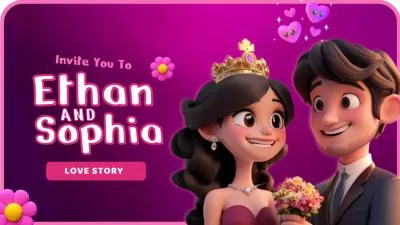
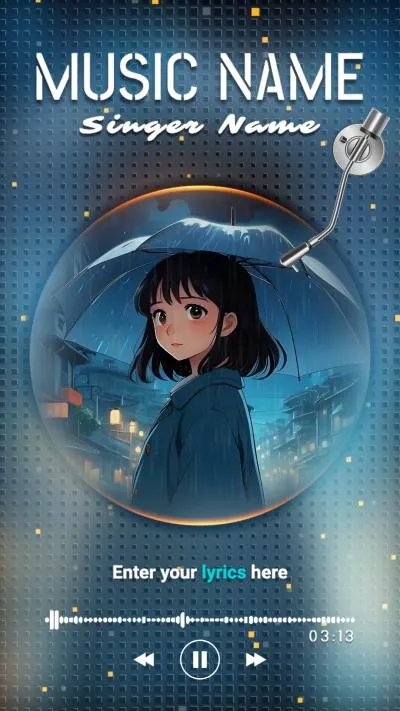
Think of FlexClip as a middle ground between CapCut simplicity and After Effects professionalism. Backed up with powerful AI features, you can easily convert text prompts, images, or video clips into professional-level animation clips, without manual animation control.
FlexClip's AI edits with you, not for you. The easy editing suite lets you customize text block, overlay, and image with entry, exit, and emphasis animations with controllable duration and direction. You can also merge, overlay, add background music, sound effects to the animations. Get creative to polish your animation video.
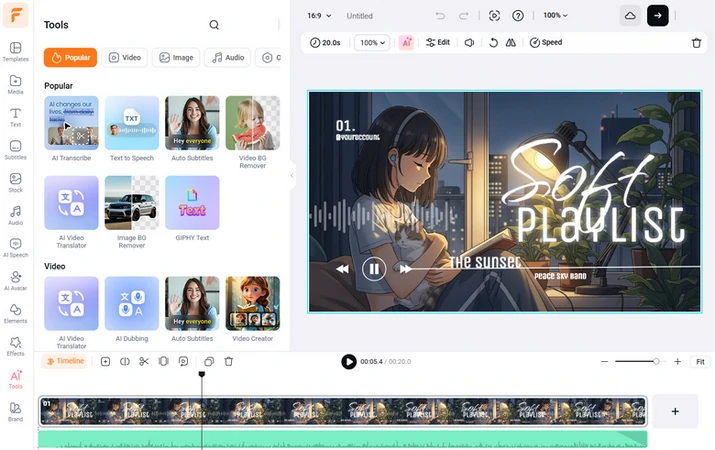
FlexClip - AI Animation Maker Overview
Key Features of FlexClip's Animation Video Maker
Use FlexClip's Image/Prompt to Video

FlexClip AI Avatar


Downsides of FlexClip's Animation Maker
2. Animaker
I am impressed by how Animaker balances smart move and complex motion. Instead of waiting for AI to generate motions, Animaker's smart move feature allows everyone to create complex movements like running, turning, and jumpping across the screen just by simple selection.
The deep character customization is also one of the key features I love. Even though 3D characters are off the table, I can easily make studio-quality 2D avatars with tailored facial features, hairstyles, outfits and assign the avatar over 20+ precise facial expressions and action poses.
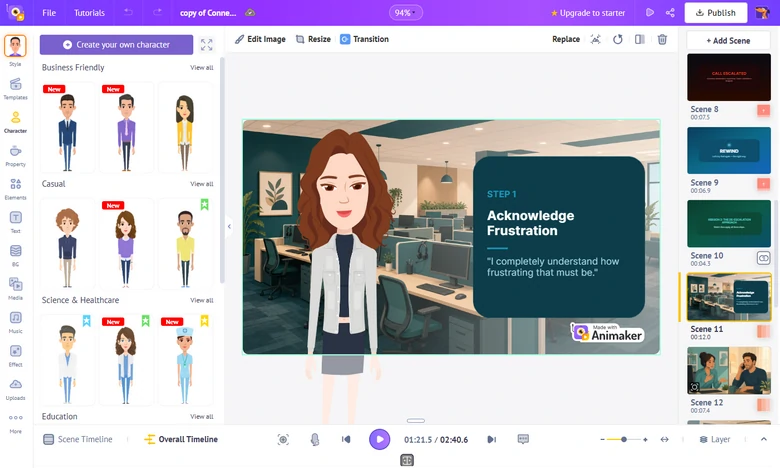
Animaker - AI Animation Maker Overview
Key Features of Animaker's Animation Maker
Downsides of Animaker's Animation Maker
3. Adobe Express
As far as we've experienced, Adobe Express takes a distinctly different approach than Adobe Animate and Animaker. Rather than being a dedicated 2D avatar suite, it takes the Animate from Audio path, a popular feature where you can upload an audio track or record your voice, select a 2D stylized character, and automatically generate lip syncing along with natural head and gesture movements.
Adobe Express also includes some physics-based animations like natural wind, wobble effects alongside automatic audio enhancement and scene re-framing tools. They will make the animation look far more interesting.
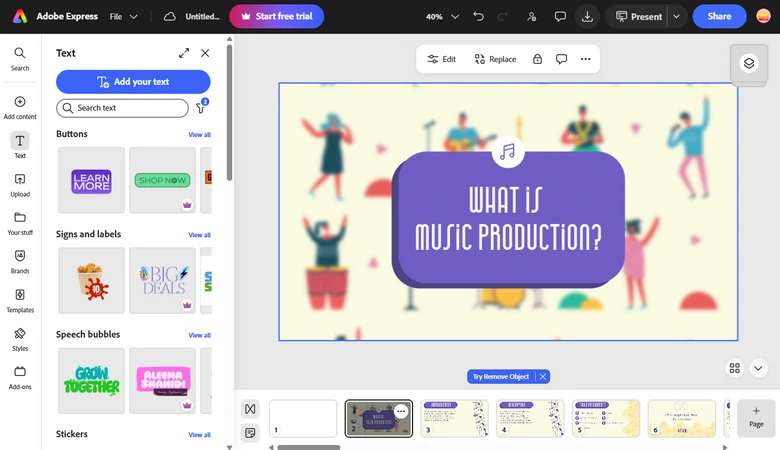
Adobe Express - AI Animation Maker Overview
Key Features of Adobe Express's Animation Maker
Downsides of Adobe Express's Animation Maker
4. Powtoon
As the name implies, Powtoon (a blend of PowerPoint and Cartoon), it uses a slide-by-slide structure that feels immediately familiar to everyone who has built a presentation with animated characters, motion paths, and visual effects. Besides normal animated character, I even noticed the dedicated Whiteboard Animation drawing effects. You can turn a still animated image into a video of a hand drawing the image from scratch to finish.
Recently, Powtoon include AI text-to-video generation, AI scriptwriting, automated text-to-speech voiceovers to speed up production. Again, all these features are quite beginner-friendly.
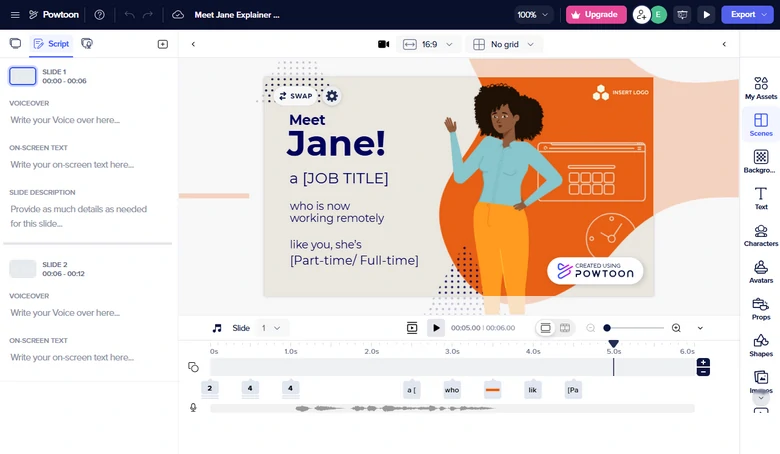
Powtoon - AI Animation Maker Overview
Key Features of Powtoon's Animation Maker
Downsides of Powtoon's Animation Maker
5. Blender
As an animation beginner, I am a little bit overwhelmed by Blender. It is industry-standard 3D and 2D creation suite used by professional studios, indie animators, and game developers worldwide. There is no template, or pre-made drag-and-drop assets.
I tried to follow some Blender tutorials from YouTube, and it is not as hard as I thought. I even start to enjoy the animation freedom. The Grease Pencil lets me draw traditional 2D frame-by-frame animation directly inside a 3D environment, and combine 2D hand-drawn elements with 3D camera moves, lighting, and objects seamlessly.
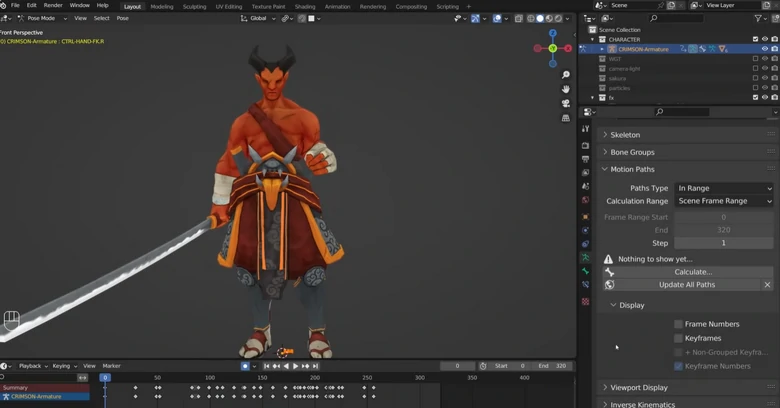
Blender - AI Animation Maker Overview
Key Features of Blender's Animation Maker
Downsides of Blender's Animation Maker




FlexClip AI Video Maker
Reach professional-quality videos faster with easy editing tools, templates, and smart AI.
Start Now for Free
Hot & Trending
-
Best Ways to Find Music in YouTube Videos
-
Instagram Story Video Quality Bad After Upload? Fix It!
-
How to Repost Video on TikTok & How to Remove TikTok Repost
-
Improve Video Quality Online: 3 AI Video Quality Enhancers You Can't Miss
-
4K Convert to HD 1080p without Watermark: Best 4k Video Converters
-
Best 8 Free Video Editors - No Download Required
-
Top 13 Birthday Video Makers with Music and Effects Free
-
How to Search Filters on TikTok & Use a Filter You See - TikTok Filter Guide